The Best Blogs, Podcasts, and Resources for Ad Tech and Ad Ops Professionals
ad-tech-resources
With a projected global ad spend of over $170 billion in 2016, online advertising is a vast industry with thousands of small and big players engaged in business; and developers, ad ops managers, designers, data scientists, marketers, and support teams working overtime to keep the juggernaut of internet ads running.
Equally vast is the jargon that surrounds the ad tech industry; not only are outsiders confused by it, if you were to survey industry professionals, the results would surprise no one — there is a big chasm between how much we think we know and how much we actually do.
Ad-tech is a super nerdy community. They want to speak their own language and it makes them feel smarter, so they teach themselves to speak Klingon, a language that’s a mystery, and nobody’s willing to ask questions as to what they mean.
— Nick Dujnic, LiveIntent’s director of demand generation
SSP? DSP? RTB? CPM? CPC? CPI? Programmatic? Waterfall? Daisychaining? Multivariate testing? Native? Omnichannel? LEAN? Header bidding? It’s enough to confuse anyone.
How about this new one: PGNMA, stands for Please God No More Acronyms.
Jokes aside, though we can’t kill the acronyms, thankfully there are many great blogs, magazines, podcasts, and resources that do a great job of simplifying ad tech.
Here are a few that anyone will find useful and perhaps even necessary as part of being a clued-in member of this community:
Note: Even though this post is written with ad tech and ad ops professionals in mind, these resources are equally beneficial for anyone working in online media or thinking of making a transition.

> AdExchanger

adexchanger-1
Often cited as mandatory reading for professionals working in online advertising and for good reason: AdExchanger enables the exchange of ideas between all members of the “ecosystem,” including marketers, agencies, publishers, data providers, advertising and marketing technology companies, analysts, the investment community and the press.
AdExchanger has 208,000 monthly unique visitors, and editorial newsletters with more than 24,000 subscribers. Apart from the main site where they publish posts on advertising, publishing, mobile, data, commerce, investments, agencies, et cetera; they have a resources section where they catalogue longer, topical features such as A Publisher’s Guide To Counter-Ad Blocking Technology, a podcast which features interviews with key figures in advertising, and multiple newsletters.
Note: AdExchanger has a Twitter directory of reporters, bloggers, agencies, ad networks and exchanges, and more who are actively involved in the conversation about ad tech.

> Digiday
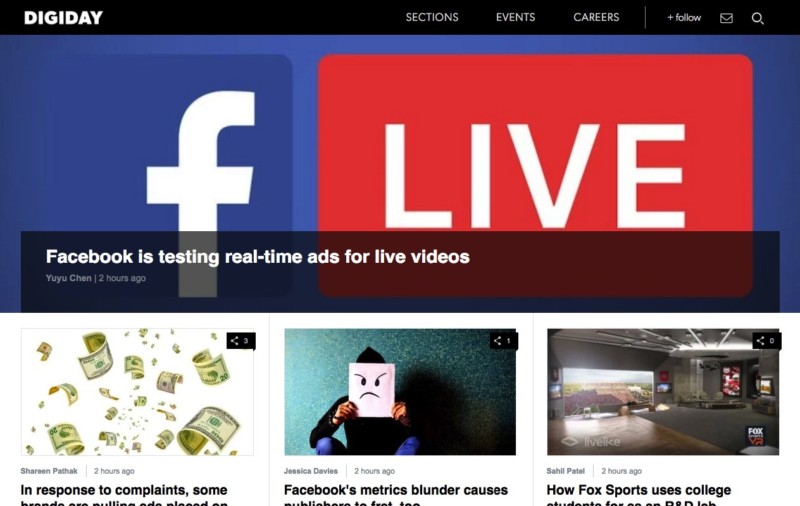
digiday
Digiday mixes deep industry knowledge and experience with an emphasis on honesty over spin and quality over quantity. They cover topics of interest to online creators including publishing, advertising and digital platform industries with an expertise, depth and a wry tone unparalleled in their beats.
In special interest of people actively working in ad ops and ad tech, Digiday publishes a dedicated section called WTF Ad Tech with an aim to demystify the complex jargon surrounding the industry.
If you’ve ever wondered WTF things like programmatic, real-time bidding, arbitrage, ad injection, deal ID, et cetera really mean… they’ve got you covered.
Wait, that’s not all, Digiday WTF does the same thing for ads, media, and publishing in general. Oh, they also have a great podcast on the digital media landscape.

> Ad Ops Insider Blog

ad-ops-insider
Ad Ops Insider explains the basics of interactive advertising from an operations and technical point-of-view. The goal of the blog is to educate budding ad ops professionals and explain the hows and whys of what happens in the trenches in this ever-changing industry.
Ad Ops Insider is written by Ben Kneen. Ben has worked in the digital advertising space since 2004, and in an Ad Operations role since 2006. He has worked in various yield management, business development, and product management roles at Rodale, WebMD, and PayPal. Currently, he lead the client success team at Yieldex, a publisher analytics and programmatic platform owned by Appnexus.
Ad Ops insider will give you a deeper understanding of the nuts and bolts of everyday ad operations that you may find lacking in some of the other publications focussed on a broader audience.
Ben also created a post about must-know resources for people working in ad ops:
While industry big wigs gravitate toward Twitter, the people in the trenches seem to be moving toward Reddit as a place to connect on specific strategies and more detailed questions that can’t be captured in 140 characters or less.
In fact, I’d say the Ad Ops Subreddit is quickly replacing the Ad Monsters forum as the preferred discussion community, which has suffered under lousy software and too much interaction from vendors in my opinion. While you might see a post every other day on AdMonsters, you’re likely to see a handful every day on Reddit.
You can find people asking technical implementation questions as well as trading tactical strategies with each other, and you’ll find me there too posting under the username @adopsinsider.
Cannot recommend you to read this post enough.

> AppNexus Industry Reference

appnexus
AppNexus is one of the biggest ad exchanges in the world and their industry reference is a vast knowledge base of information that works both as an essential reference and as a learning resource.
You’ll find almost everything you will ever need to know about online advertising and ad trading in this guide such as:
  • Ad tech concepts
  • How ad trading and ad serving work
  • Key industry terms that will help you understand online advertising and ad tech
  • Important issues related to online advertising and the web, like privacy and data collection

> Quora Topic Pages

quora-internet-advertising
Quora is one of the largest crowdsources knowledge platforms on the internet and they have a few pages dedicated to the world of publishing, online advertising, and ad tech and ad serving technology.
The great about Quora is of course its interactivity.
You can post a question that you have and people actually working in the industry (developers, founders, ad ops professionals…) will respond to your questions; this could work out especially well when you’re working on a unique problem that requires expertise and imagination and cannot be solved with a Google search.
Apart from this, you can always browse the database of existing questions and learn more about the industry. Here are a few pages of special interest to publishers and ad ops professionals:

> AdTech Weekly Newsletter

adtech-weekly
Finding information is hard, how about letting the information come to you instead?
AdTech Weekly is a curated newsletter full of interesting and relevant links from around the advertising technology sphere. No matter how smart algorithms have become, they still can’t match the power of humans curation.
The best part? All their earlier archives are available on the website and you can browse through all the things on a Sunday and get up to speed with the latest in the ad tech space (…alright, maybe more than just one Sunday).
By the way, while AdTech Weekly is a curated newsletter-only service, most publications mentioned in this article too have their own newsletters that you should consider subscribing to.

> Google Product Blogs

google-search-blog
With its entire suite of ad products for small, medium and enterprise publishers, Google has been the undisputed industry leader of the online advertising space for well over a decade now.
Their four blogs Search Blog, Inside AdSense , Analytics Blog and DoubleClick Publisher Blog cover information and updates about their mostly widely used products, which are Search, Google AdSense, Google Analytics, DoubleClick AdExchange (AdX), and DoubleClick for Publishers (DFP).
Other than product information, all these blogs often publish features of general interest to publishers on topics such as ad optimization, audience, data, analytics, trends, testing, et cetera.
There are also many other learning resources including but not limited to video series and tutorials, eBooks, certificate courses, and user forums. Look around, it’ll be worth your time.

> Thalamus News Aggregator

thalmus
Thalamus is a real-time news aggregator for the media and ad tech industry. This is great if you’re in a job that requires you to stay on top of industry trends (…or if you just like to keep up).
You can use Thalamus to keep track of the best news sources in advertising, affiliate marketing, marketing, mobile gaming, and technology with an exhaustive list of authoritative industry sources.
If you sign up and create an account, you can save your customised feed once and have your reading list ready when you log back in.

> Selected Ad Tech Podcasts

ad-tech-resources
Tired of reading? No problem: Podcasts are a great way of keeping up with trends in an alternate form that sometimes just feels easier; not to mention you can listen to podcasts while walking around the block or exercising or doing any activity that doesn’t need your full attention.
Here are a few that you should check out:

> Bonus: LiveIntent Videos

liveintent
Tired of reading and listening? Fine: How about some fun videos that will teach you about concepts like audience extension, viewability, retargeting, machine learning, email lists, and maybe even how to be the Jon Snow of marketers?
Sounds like fun? Well, that was the brief when Nick Dujnic, LiveIntent’s director of demand generation, started producing a weekly video series to make ad tech slightly “more fun” by mixing in some fun, satirical commentary along with the heavier stuff.
The series kicked off two years ago and now has over 11,000 subscribers and counting, it also has the highest engagement among all the other content that LiveIntent publishes, this isn’t to say that their blog and knowledge base aren’t worth checking out though.
post credits: Adpushup
Do You Really Know What Visitors Are Doing on Your Website? Here’s How You Can
If you can’t measure something, you can’t understand it. If you can’t understand it, you can’t control it. If you can’t control it, you can’t improve it. ― H. James Harrington
Quick question: How much effort do you put into creating high-quality media for your website?
Don’t answer that, it’s rhetorical. I know you put in all the effort that you can; any serious publisher does, it’s otherwise not possible to survive on the hyper-competitive web.
Now, for a non-rhetorical question: Do you measure user engagement on your website?
Sure, you have Google Analytics installed, but how does that give you any special insight over anyone else?
Don’t get me wrong, Analytics is a great tool, depending on your knowledge—you can do some amazing things with it, but you can’t do everything.
You can’t accurately track time-on-site (most commonly used web analytics tools let you do it but it’s not precise), scroll depth, user attention zones and many other such intelligent metrics that will get you thinking less of the ‘click web’ and more of ‘attention web’.
But wait…

What is the ‘attention web’?

Attention web is a set of ideas and concepts that mark a shift in mindset when it comes to measuring user engagement on the web; spurred in parts by independent web developers, industry thought leaders, and specialist publishing and ad ops teams at large publications such as Upworthy, Medium, and BuzzFeed.
Medium uses a self-defined metric to measure success, as explained by the CEO, Ev Williams.
Internally, our top-line metric is “TTR,” which stands for total time reading. It’s an imperfect measure of time people spend on story pages. We think this is a better estimate of whether people are actually getting value out of Medium. By TTR, last week was still big, but we had 50% more TTR during a week in early October when we had 60% as many unique visitors (i.e., there was way more actual reading per visit).
Ev is far from the only person who understands that our current means of measuring engagement are not evolved enough to tackle the modern web.
Nick Rockwell, CTO, NYTimes, recently made the following observation:
Focusing on clicks would be a terrible mistake for us. We know from the data that the cycle for a reader to grow to understand the Times and eventually become a subscriber is measured over many years. Sometimes as long as a decade. The signal that you get from just looking at clicks is not going to be significant enough. We haven’t landed on what we think the perfect formula is. Amongst the things we care about are what people click on, the time they spend with a particular piece of content, scroll depth, as well as repeat visits over a defined period of time. Those are some of the key metrics.
So, what can you track about your users that will give you beyond-the-basics data and insights, and how?
Here are a few tools that you can set up and start using now.

1. The Parsnip.io Bundle

Track deep engagement metrics


Between 22/09/2016 and 4/10/2016, visitors collectively spent 2,692,545 seconds or ~747 hours on our blog, as measured by Riveted.
Between 22/09/2016 and 4/10/2016, visitors collectively spent 2,692,545 seconds or ~747 hours on our blog; as measured by the tool Riveted provided by Parsnip.io

A set of three open-source user engagement tools created by Rob Flaherty, a digital product consultant from New York. These tools allow you to measure things like how deep users are scrolling your page, how much time they’re spending on your website and on which sections.

Scroll Depth

Scroll Depth is a small Google Analytics plugin that lets you measure how far users are scrolling. It monitors the 25%, 50%, 75%, and 100% scroll points, sending a Google Analytics Event for each one. The plugin provides native support for Universal Analytics, Classic Google Analytics, and Google Tag Manager, and can be used with any analytics service that supports events.

Screen Time

Screentime is a small tool that helps you start thinking of your website traffic in terms of time instead of hits (pageviews, visits, etc). You can define areas of the page, called Fields, and then Screentime will keep track of how much time each Field is on screen for. You can also use it to track smaller elements, like ad units.

Riveted

Google Analytics does a lot of things really well but the way it measures visit duration—by calculating the time difference between pageviews—provides only a partial view of how much time is actually spent on site. Riveted helps fix this by measuring the amount of time users are actively engaged (e.g., clicking, scrolling, using the keyboard) and then reporting the data to Google Analytics in frequent intervals.

2. Heatmaps and Clicktracking Tools

Visualize your user activity


Image: Nielsen Norman Group

Wouldn’t it be nice to see an sum of all activity that’s happening on your website in a visual way?
Heatmapping and clicktracking tools help you do just that by allowing you to gain valuable insight into the way that visitors interact with your site.
These tools answer the following questions:
  • Where do visitors click?
  • How much are visitors scrolling on the page?
  • What actions can I optimize to increase conversions?
These tools are meant to give you an inside look into how your visitors interact with your website. Design and content additions can then be formulated to increase or optimize user behavior on the site. There is no more “guesswork” – just factual data based on user behavior.
Some of the most popular tools in this category include SumoMe, CrazyEgg, Lucky Orange, ClickTale, Inspectlet, SessionCam, me, Mouseflow, HotJar, and Seevolution. You can find a reviews of some of the best heatmap and clicktracking tools here.

3. Mixpanel

Identify gaps in your conversion funnels

Mixpanel
Though Google Analytics allow you to measure conversion goals, the way that data is presented is not really too intuitive — in most cases, if you want to visualize a conversion funnel, you will need to pull the data and process it using another data processing tool such as Excel or Sheets. Mixpanel fixes this by providing multiple ways of visualising the conversion data on your website.
In essence, instead of tracking page views, Mixpanel allows you to define and track multiple ‘user actions’ on your website and mobile apps.
At AdPushup, we use Mixpanel to track multiple user actions across our site; on our blog, we use it to measure user conversion from when they first land on a page to the product sign up, this involves tracking conversion rates at three distinct steps:
  1. Visitor > Sign Up Page (visitor went to sign up page)
  2. Sign Up Page > Thank You Page (visitor signed up successfully)
  3. Thank You Page > Saved Site (visitor saved their site in our visual editor)
While looking at these numbers, we realized that the conversion rate at step (1) was dismal compared to that of the other two steps — now we knew that we need add more noticeable call-to-actions on our blog to direct the users to the app Sign Up Page.
This is the kind of useful information you can find out using Mixpanel, it doesn’t matter what your goal is — product sign up, book download, completed purchase, you can define and track all the steps that lead up to the final conversion, and find bottlenecks holding back the entire cycle.

4. Chartbeat

Forget page views; measure attention instead

Chartbeat
One of the pioneers of the “attention web” concept — Chartbeat allows publishers, brands, and agencies to measure and monetize user attention. Admittedly, their requirements are high and you need to meet some predefined minimum traffic criterion.
If you do get in though, this is what Chartbeat can help you do:
  • Track and measure the second-by-second attention of your users
  • Adapt and capitalize on the content that’s resonating with your audience
  • Drive the right readers to the most engaging content again and again
How does it help you with this? By providing a whole suite of audience building tools including:
  • Real-time analytics
  • Audience insights
  • Page optimization
  • Headline testing
  • Performance benchmarking
  • Report building
As you may imagine, these tools can really help you optimize and bump up the attention levels that your content is currently attracting.
Just in case you don’t make the cut, you can sign up for their base plan which is available to everyone for $9.95 / month; it’s intended for small blogs and can help you with insights such as real-time concurrent visits, engaged time, desktop / mobile traffic split, social activity, page load times, top pages, and traffic sources — all this on one sleek dashboard.

5. KISSMetrics

Track, analyze, and engage your audience

KISSMetrics
Founded by Neil Patel (who is more commonly recognized as a prolific blogger in the marketing growth industry), KISSMetrics helps publishers and marketers measure user behavior analytics to drive growth — helping turn visitors into customers.
KISSMetrics offers tools under two categories: (1) Analyze and (2) Engage.
With Analyze, you can track individual and group visitor behavior from their very first visit to your website and identifying their lifetime value as a customer.
‘Analyze’ offers 7 reports:
  • Funnel Report (where are visitors dropping out?)
  • Cohort Report (which marketing activities lead to the highest signup rates?)
  • Path Report (micro-analysis of user journey)
  • People Search (searching users by criteria)
  • A/B Test Measurement (how are they impacting the final revenue?)
  • Revenue Report (where is your money best spent?)
In Engage, the second set of tools offered by KISSMetrics, you can engage users based on the information collected with the first set of tools. Think of them as a more intelligent breed of call-to-actions that work based on collected user data.
With the ‘Engage’ set of tools, you can:
  • Show a newsletter sign up to new visitors only
  • Greet a campaign audience with a unique message
  • Provider a special offer to a user abandoning your shopping cart
These are just a few examples of what you can do with the audience segmentation, behavioral targeting, and design tools provided by KISSMetrics to engage your audience.

6. Qualaroo

Qualitative analysis for user engagement

qualaroo
No matter how good an analytics software, numbers will never be able to tell you the complete truth about what your users think; even if you manage to arrive at at some roundabout conclusion, you’re going to have to work hard to extract the signal from the noise.
So while analytics tools and quantitative analysis have their place in your marketing stack, sometimes, you just need a user to tell you:
“Hey, I don’t like the drop shadow on your navigation bar, it looks kind of tacky…’.
These are things you will never get from numbers.
That’s where Qualaroo comes in, combining the best of analytics-based user targeting and user survey platforms, Qualaroo allows you to target specific questions to your visitors anywhere on your website — whether that may be on their first interaction with your site or some point deep within the conversion funnel. Think of it as an exceptionally smart survey tool.
By using Qualaroo, you can:
  • Improve conversion rates (by acting on real user feedback)
  • Eliminate hidden roadblocks (by removing elements that may be annoying visitors)
  • Add context to analytics (by getting to the “why” behind your analytics data)
A few features of Qualaroo include:
  • Question targeting (based on multiple criteria)
  • Exit surveys (triggered at user page abandonment)
  • Skip logic (unique follow-up questions based on earlier responses)
  • Question library (so you don’t have to do all the thinking)
  • Quick setup (just takes a few minutes)
  • White label (add your logo and change the colour to blend the design in)
So if you’re perplexed with all the hundreds of charts and graphs that analytics tools tend to throw in your face — and want some real user feedback — Qualaroo is worth a shot.

Next Steps…

What to do now that you know all this
These are a few tools that you can use to gain a deeper understanding of your user journeys from the moment a visitor first lands on your page to the one where they close the tab.
My advice? These are some pretty powerful tools and may seem overwhelming if you try to implement all of them in one go; besides, you probably just need one or two of them based on your current goals, a good place to start is by asking yourself the following question:

‘What do I want to measure right now?’

post credits: adpushup